![MOMS Email Signature-2.png]](https://knowledge.myonemedicalsource.com/hs-fs/hubfs/MOMS%20Email%20Signature-2.png?height=50&name=MOMS%20Email%20Signature-2.png)
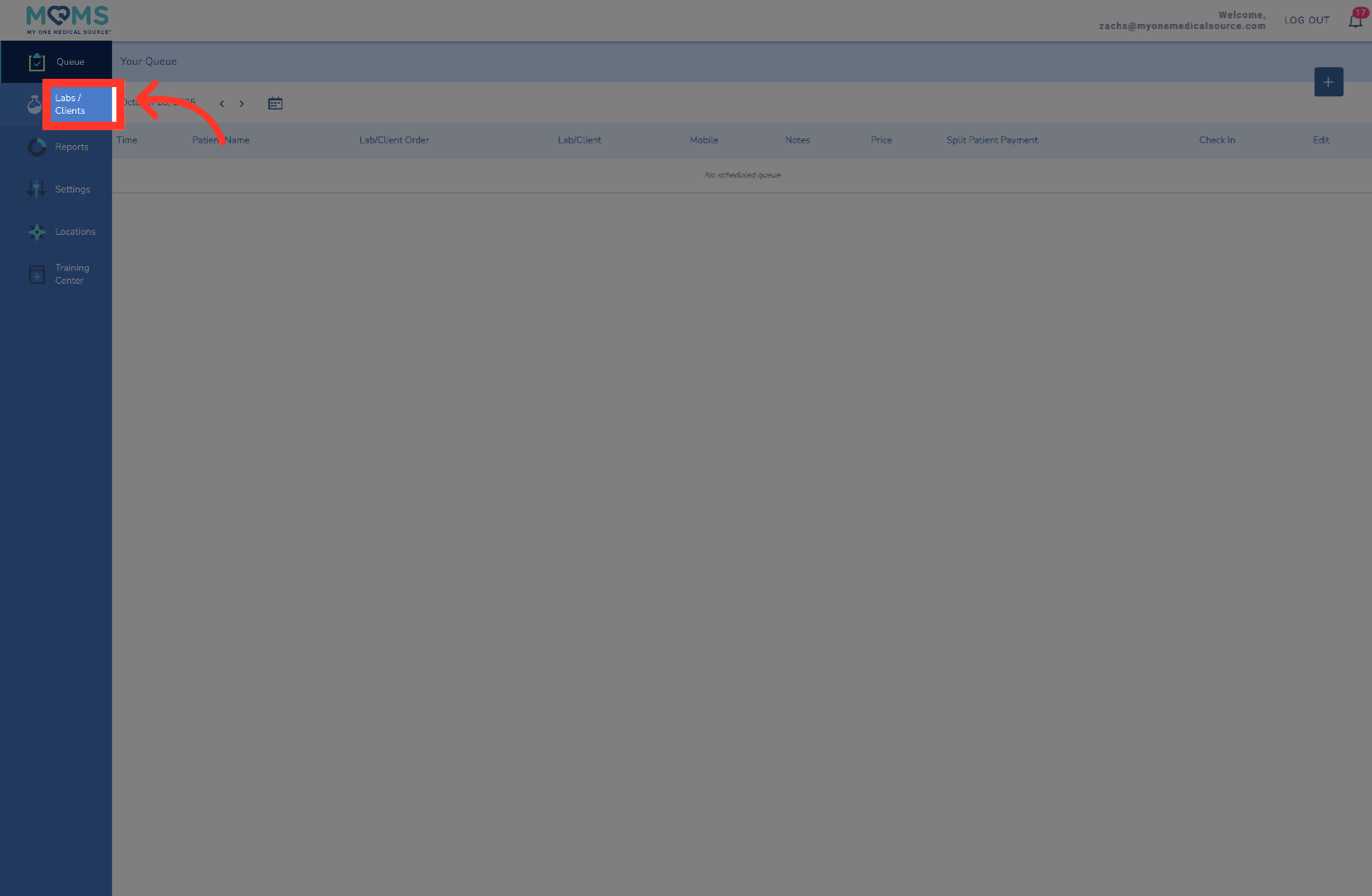
1. Navigate to Labs Clients
To review a Lab/Client's pricing, navigate to the Labs/Clients menu of the MOMS portal.
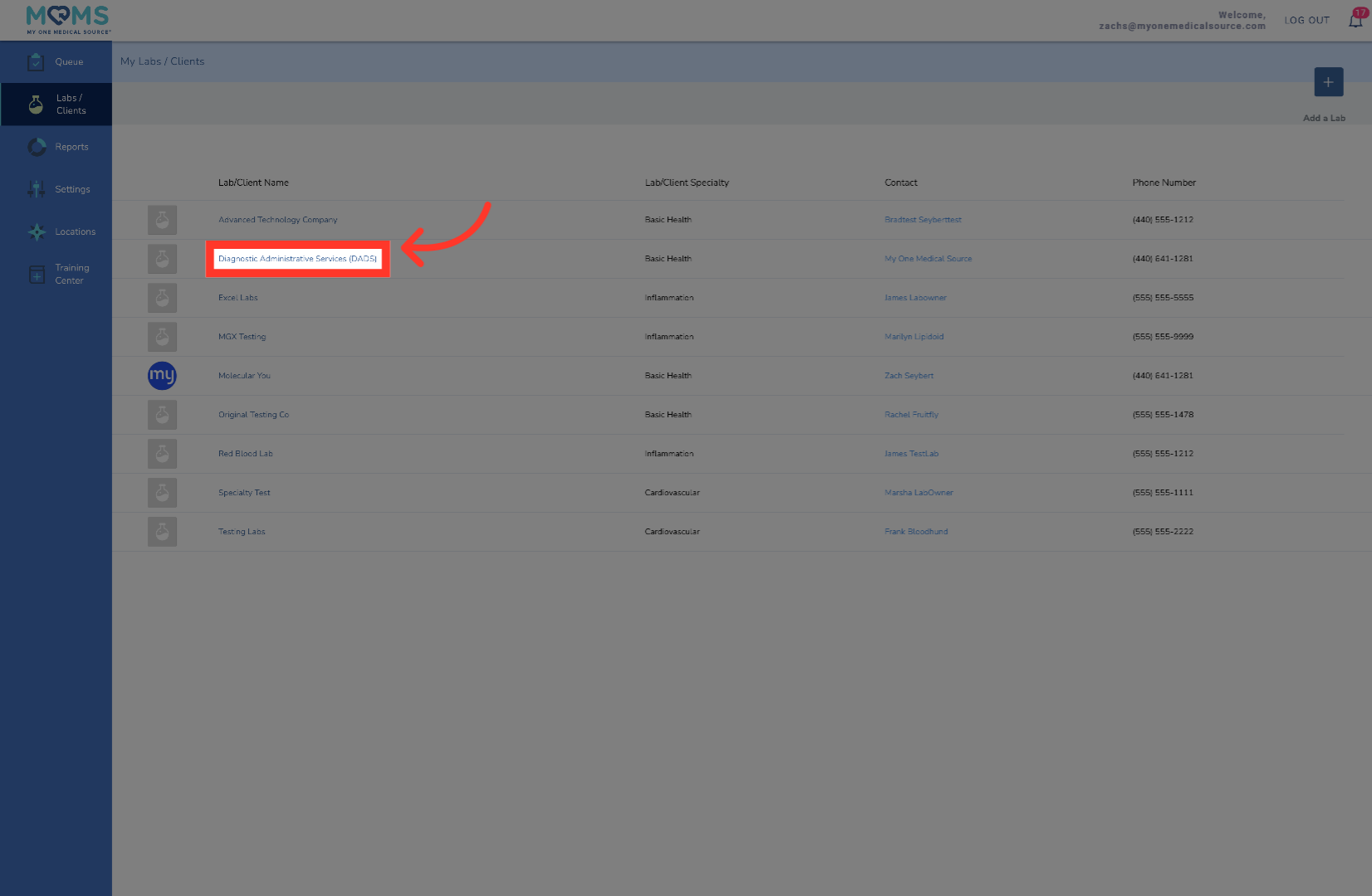
2. Select Lab
Click into the specific Lab or Client to see the collection price for their panels.
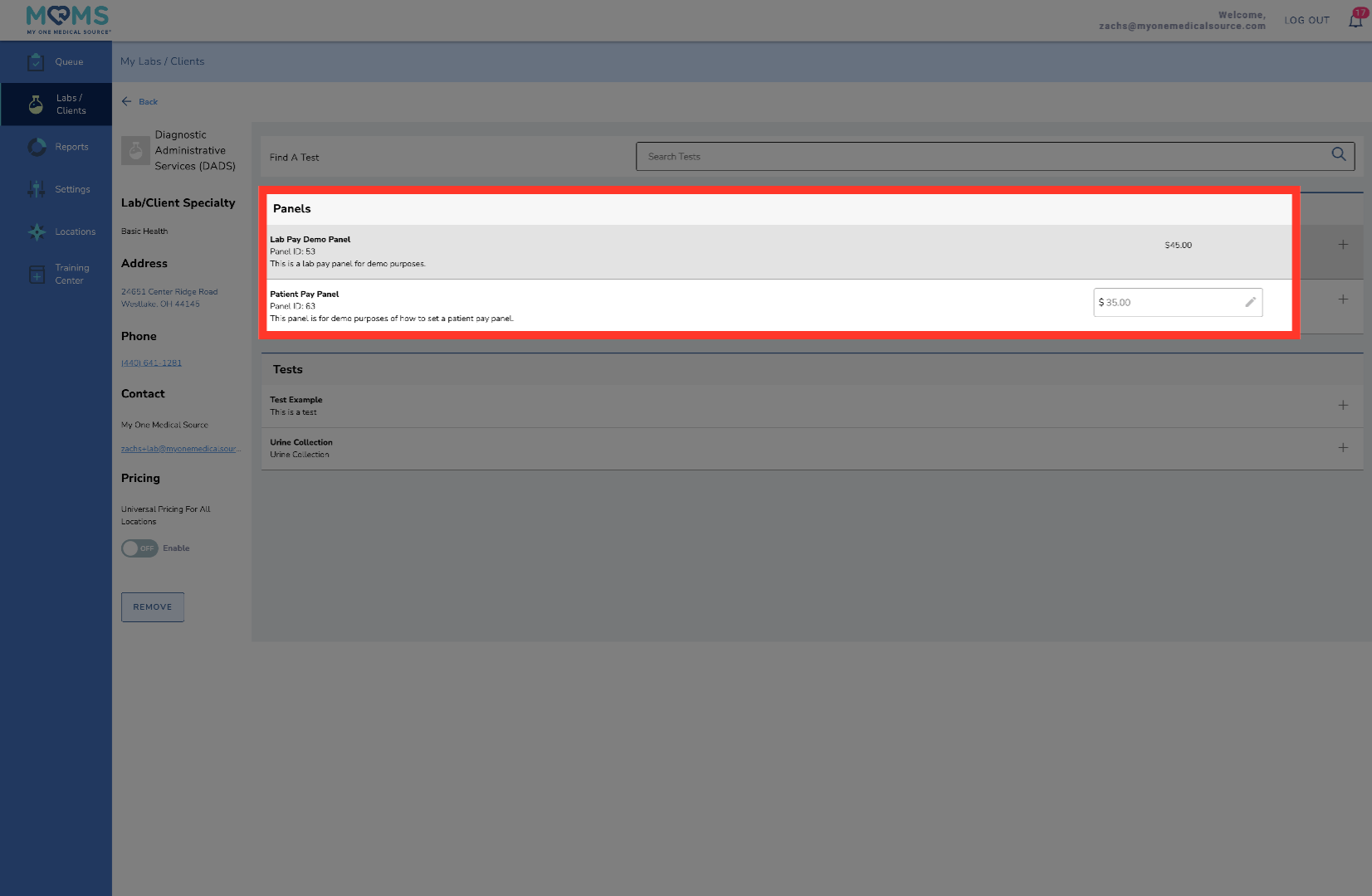
3. View Pricing
As a reminder, if there is a pencil next to the pricing for a panel, that is a Patient Pay panel and your MAP can set the price for that collection. Please note that this information is visible to patients when scheduling their collections.
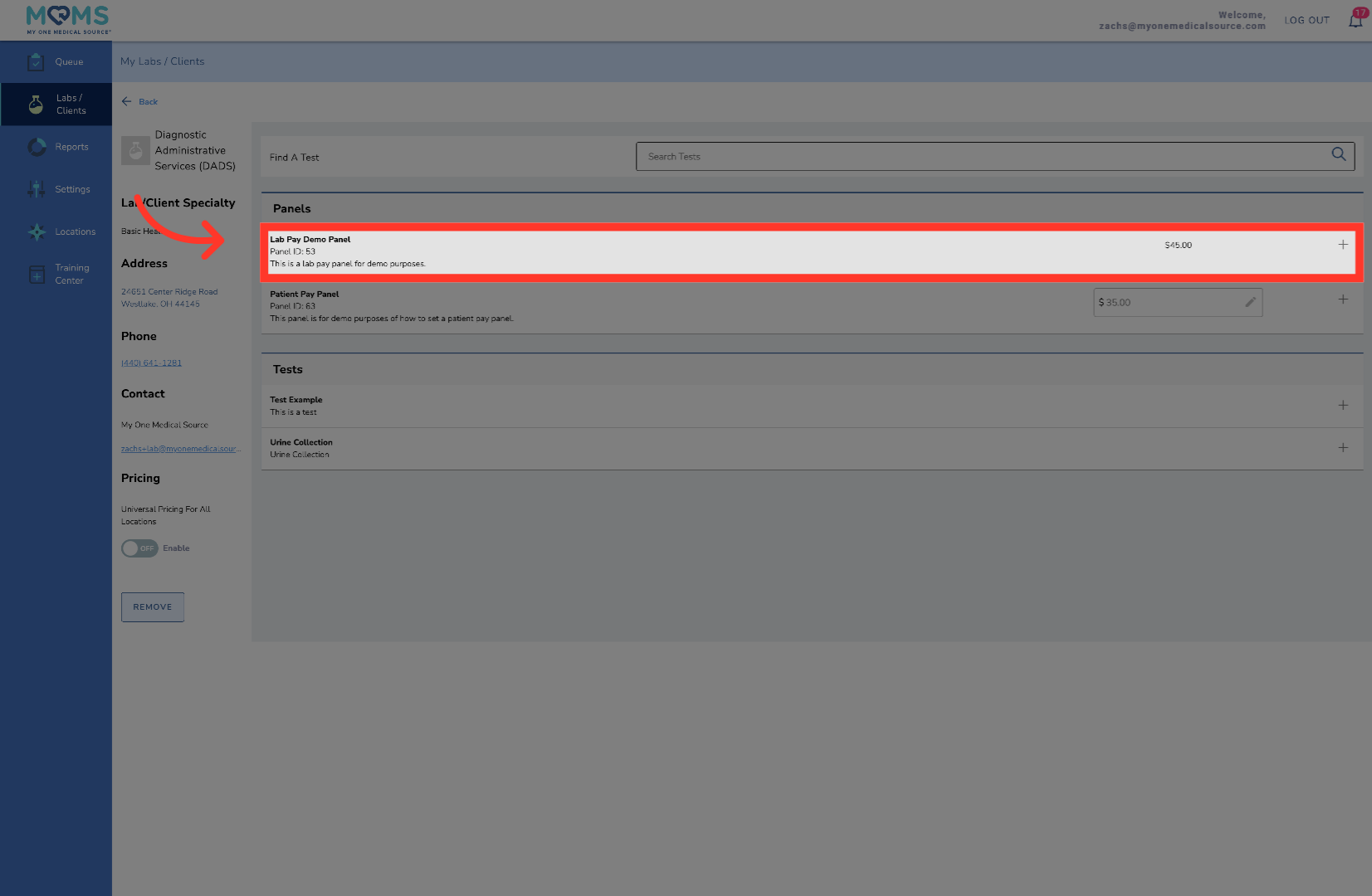
4. Open Panel Details
If the panel is Lab Pay, there will be no pencil next to it, meaning you cannot edit the pricing. To request a custom price, click the panel name to expand the information
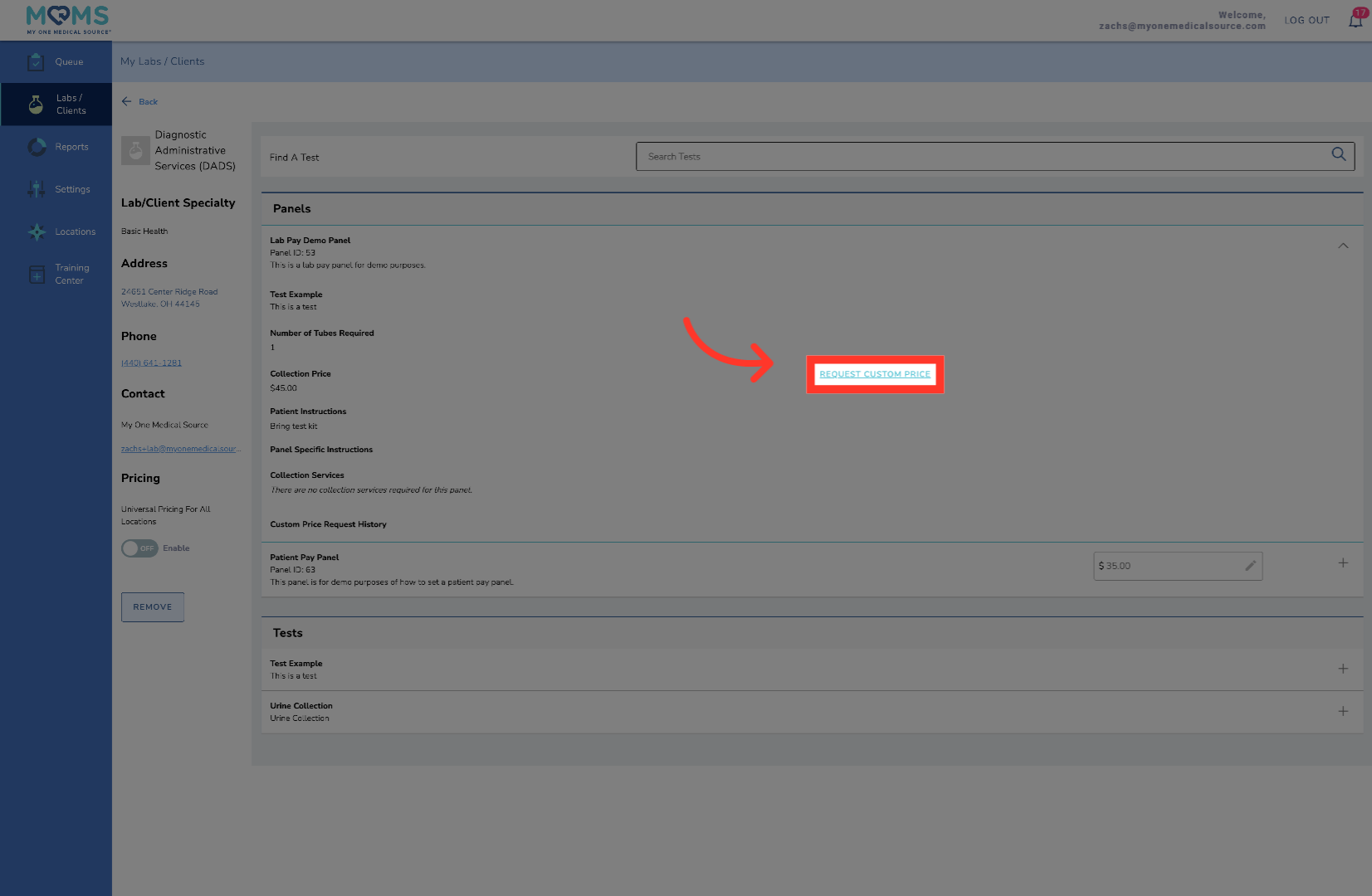
5. Initiate Custom Price Request
You will see the option to request a custom price for the collection. To do so, click Request Custom Price.
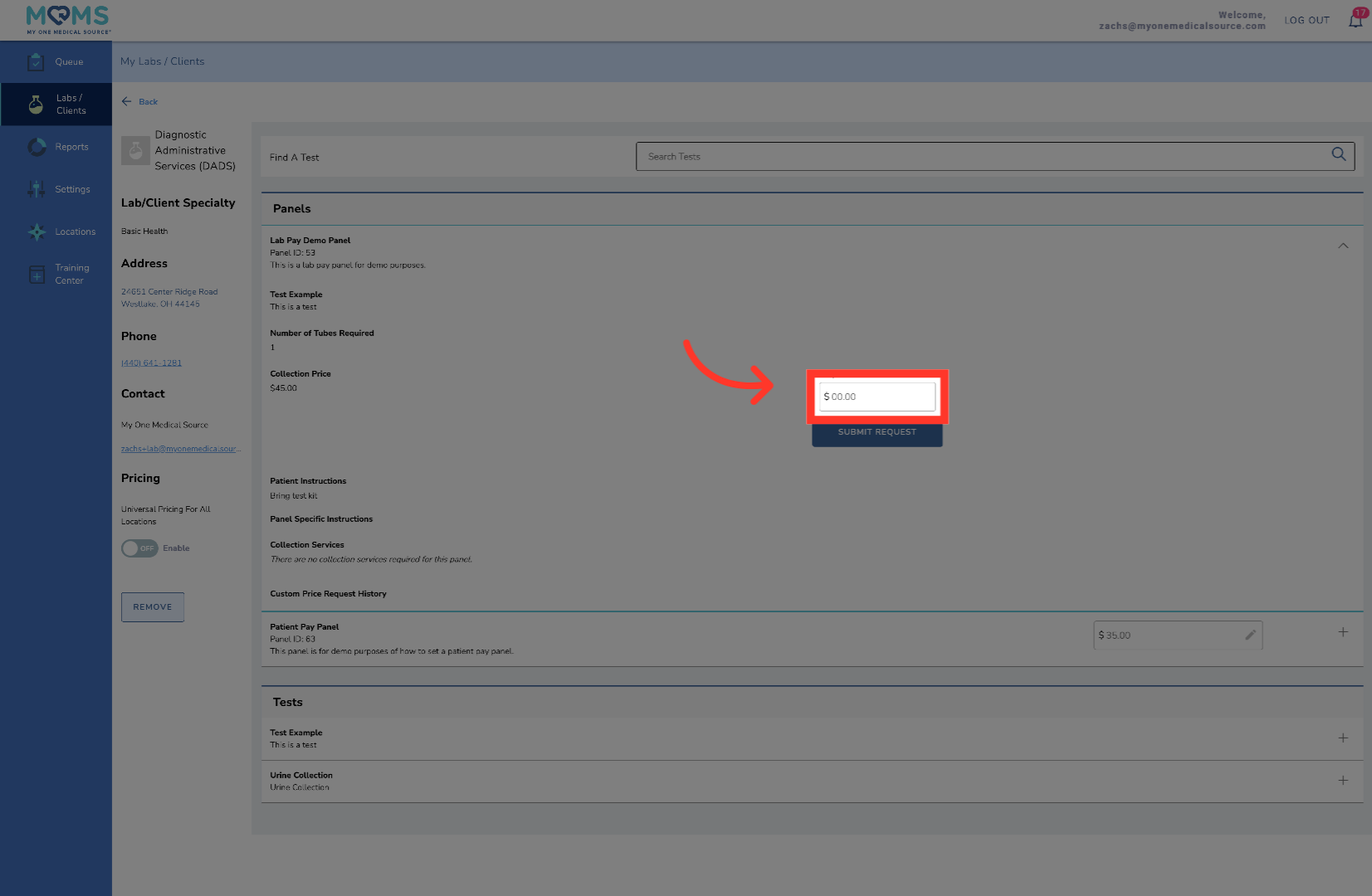
6. Select First Price Field
Enter your requested price in the price box.
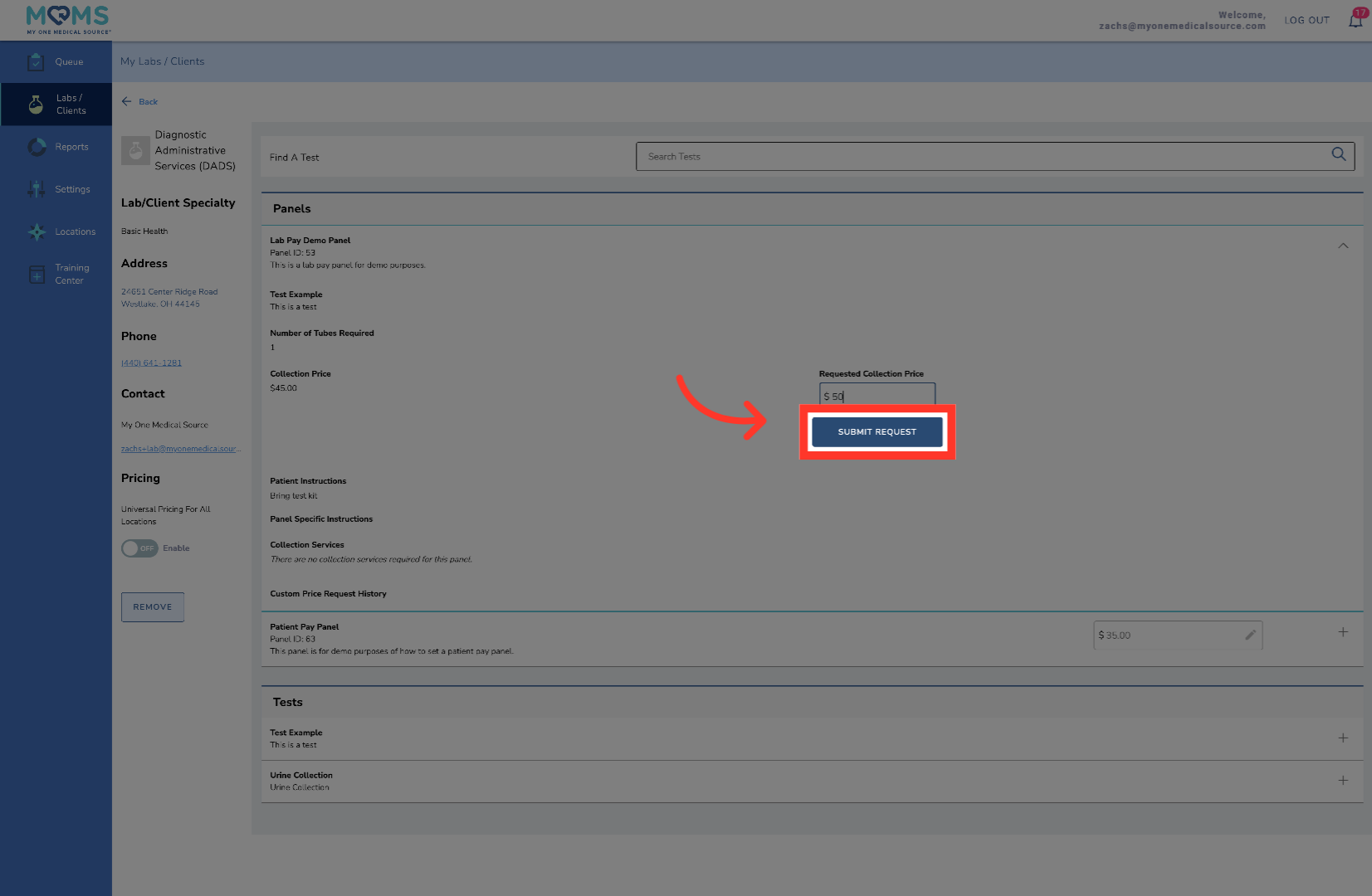
7. Submit Price Request
Click Submit Request to send your custom price proposal for approval. Keep in mind that this is a request, and the lab/Client has the ability to approve, deny, or split the payment with the patient. Depending on the decision, you will be notified as such via email and in the notification center, which can be found in the upper right hand corner of the portal.
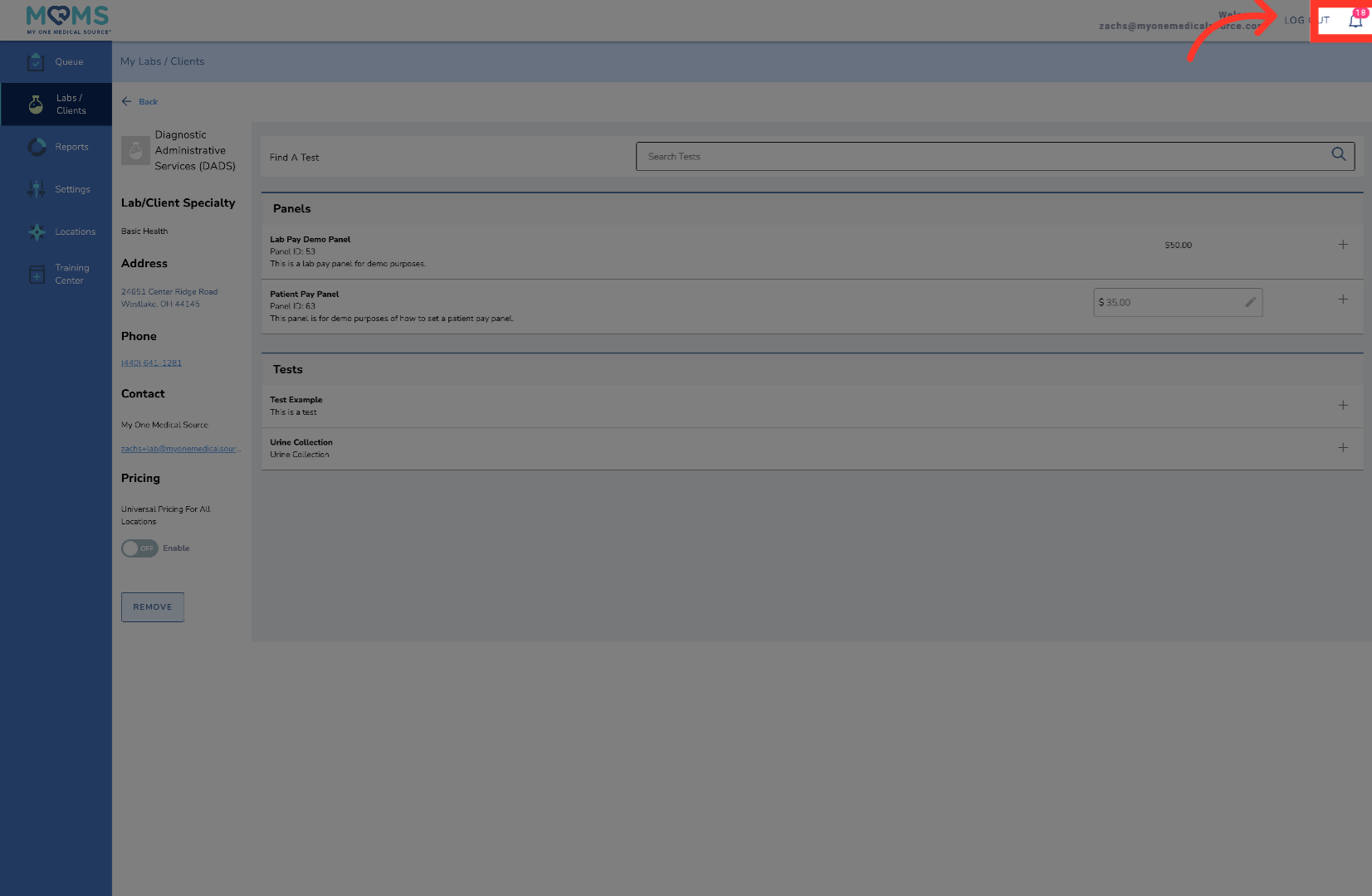
8. Notification Center
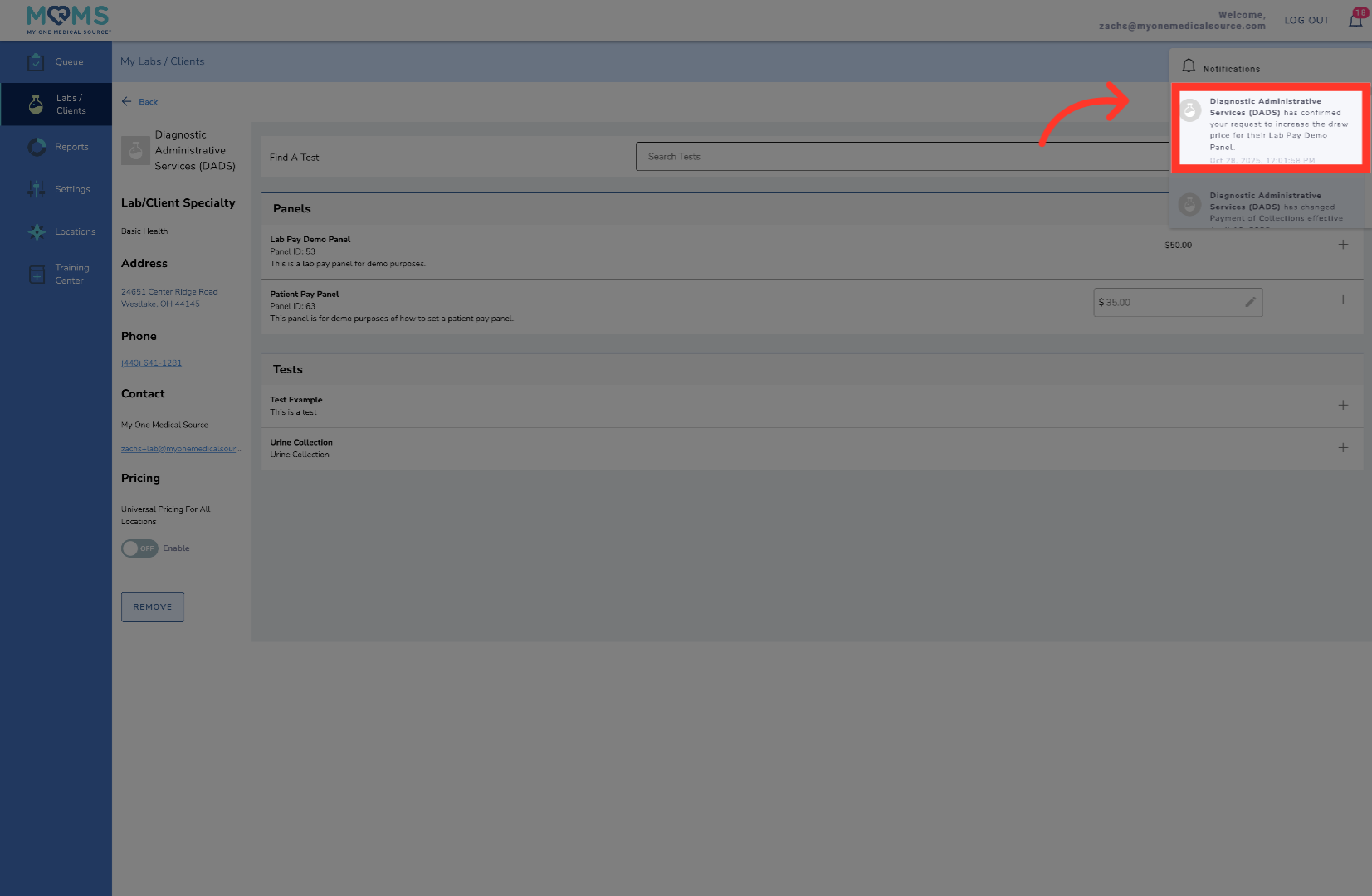
On the portal, if the Lab/Client has approved your custom price request, you can view the status in the notification center.
9. Select Notification
If Approved, the notification will say that the lab has confirmed your request to increase the draw price for the specific panel. Click the notification to set your price. In order for the new price to take affect, you must set it accordingly.
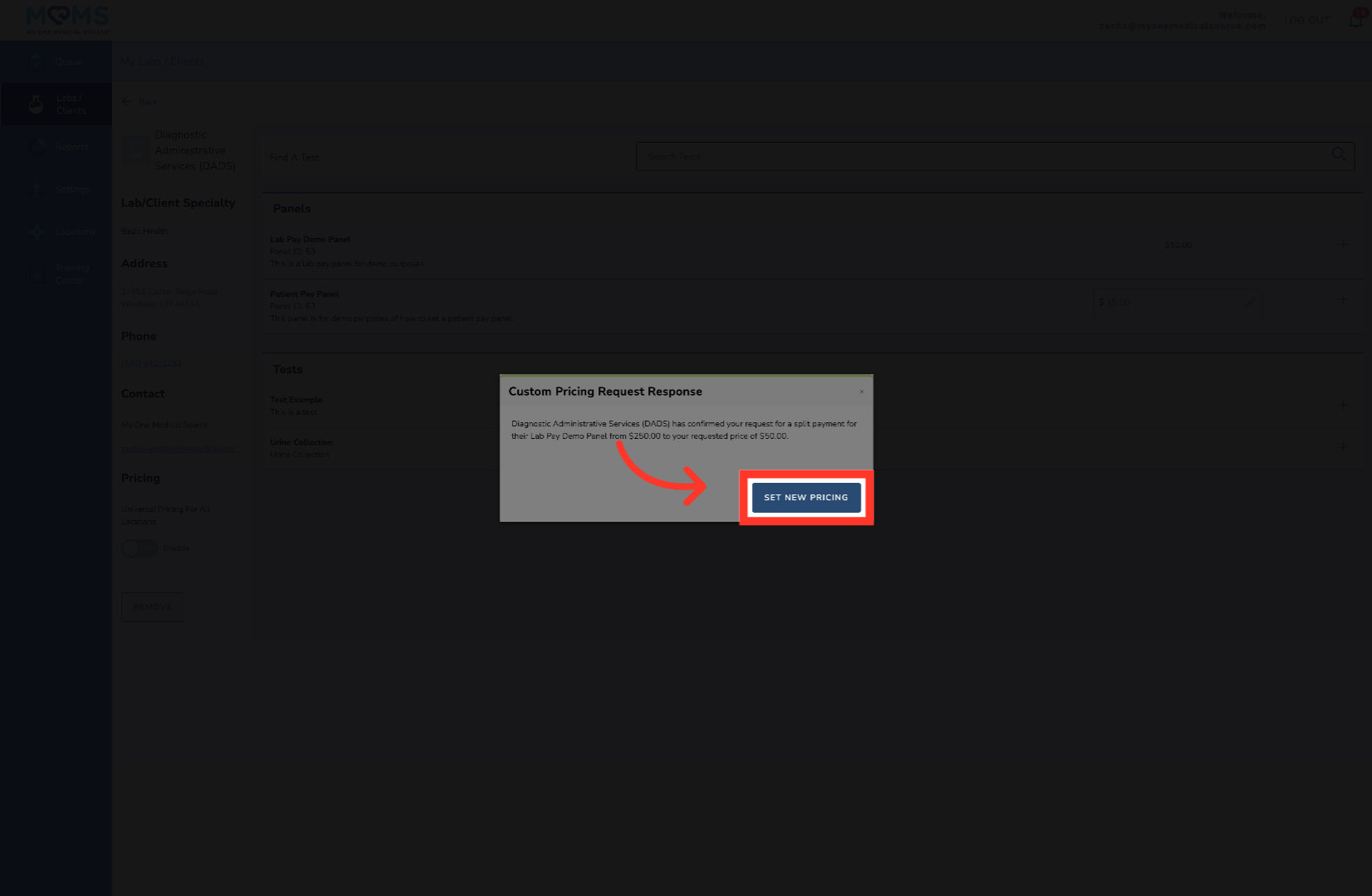
10. Open Set New Pricing
Click SET NEW PRICING to update pricing details for the selected panel.
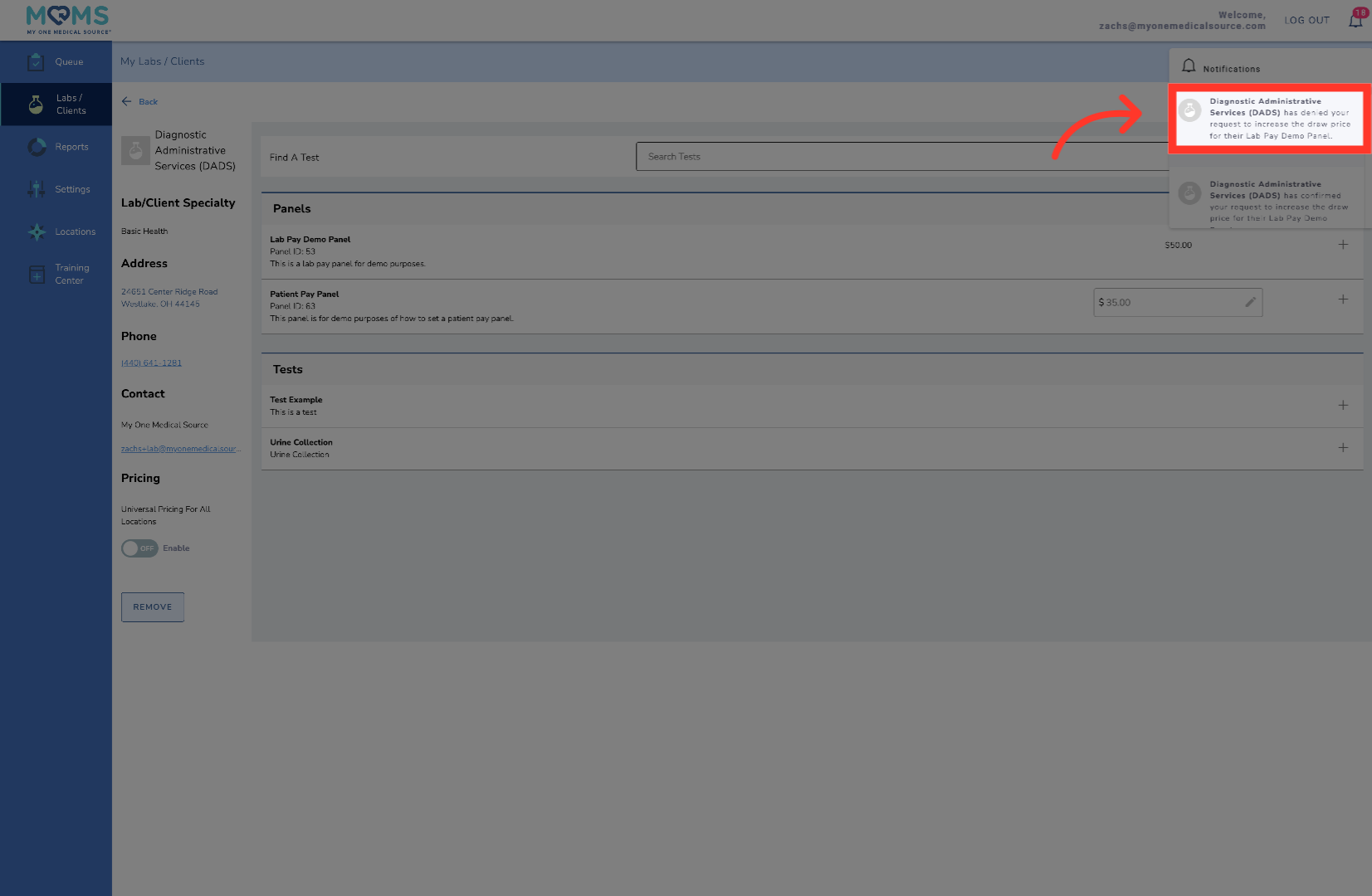
11. View Denial Notification
If the custom price request is denied by the lab, you will have the notification in the notification center, as well as be informed via email.
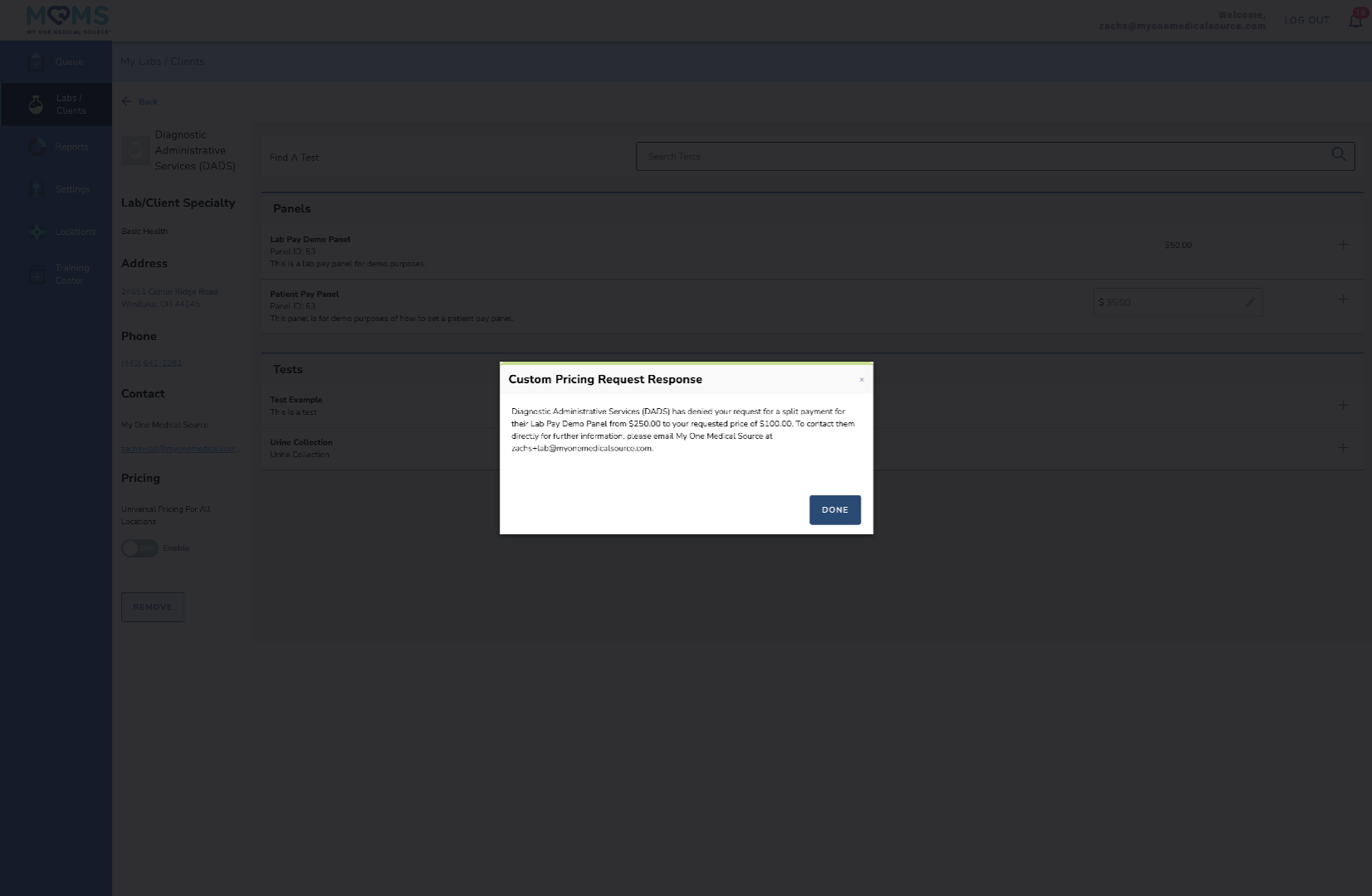
12. Complete Process
Clicking the notification will show you that the custom price request has been denied. You can either contact the lab directly, or submit a different price request. Alternatively, if you do not want to draw for this lab, you can remove the connection.
We understand that different markets may require different prices per collection. The platform average for up to a three tube draw is $35. Should you need assistance at any time, either contact your account manager directly, or submit a ticket by emailing help at my one medical source dot com.